By Hammer
The Short Version
0.51.01 is the biggest release in the project’s history, and we’re aiming for mid-November. It also marks a change in how we plan releases. It brings a new way to install and update the suite, built-in bug reporting tools, a fresh start for our issue trackers, and a long list of new features across MegaMek and MekHQ. Over the next few weeks we’ll be posting a series of deep dives on the bigger pieces. This post is the overview, and it’s worth reading to the end.
How Big Is 0.51.01?
This is hands down the biggest release in the project’s history. We’ve never had this many changes in a single release. MekHQ has merged 653 pull requests since 0.51.0, and MegaMek has merged another 249 since 0.51.00.1. Leave out the automated dependency updates and that’s still 871 changes across the two programs, and we haven’t counted MegaMekLab yet. All three ship together as a full suite release.
Those changes came from 19 contributors, and six of them made their first contribution this cycle.
A release this size has two sides. There’s a lot of new stuff to play with, and there are going to be bugs. When this much code changes at once, some of it breaks in ways nobody saw coming. That’s one of the reasons we’ve put so much work into making bugs easier to report, which you’ll read about below.
A New Release Rhythm
0.51.01 also marks a change in how we approach our release cycle.
All three programs have reached a level of maturity where there aren’t many quick, simple things left to implement. What we’re working on now might look simple on the surface, but underneath it’s complex, and it needs time to build and time to settle.
So going forward, our general rule of thumb is a three to four month cycle:
- Two to three months of active development
- A month of polish
- Then the release
We won’t commit to exact dates, and we reserve the right to change the schedule based on developer availability and what the projects need. But you’ll be able to get a sense of when the next release is coming. Combined with the launcher, which you’ll read about below, we’re trying to make moving between versions simpler and more predictable.
Changing how often we release doesn’t change our release designations. Milestone and Development releases stay as they are.
Nightly Builds Become Weekly Builds
One thing that is changing is our nightly builds. We’ve reached the point where they cause us more problems than they solve. In talking with the QA team, we found they rarely update every night anyway. They generally pick a version, stay on it for about a week, and then move on.
So the nightly builds are becoming weekly builds. If you want bleeding-edge code the day it’s committed, you’ll need to set up a development environment and run the programs from there. We don’t encourage that for casual players.
Estimated Release Date
We’re aiming for mid-November. That’s an estimate, not a promise. We’re still volunteers working evenings and weekends, and testing on a release this size can turn up things that need fixing before it goes out. If the date moves, we’ll tell you.
Bigger Picture Changes
A few of the changes in 0.51.01 don’t belong to any one program. They change how you install the suite, how you keep it current, and how you tell us when something goes wrong.
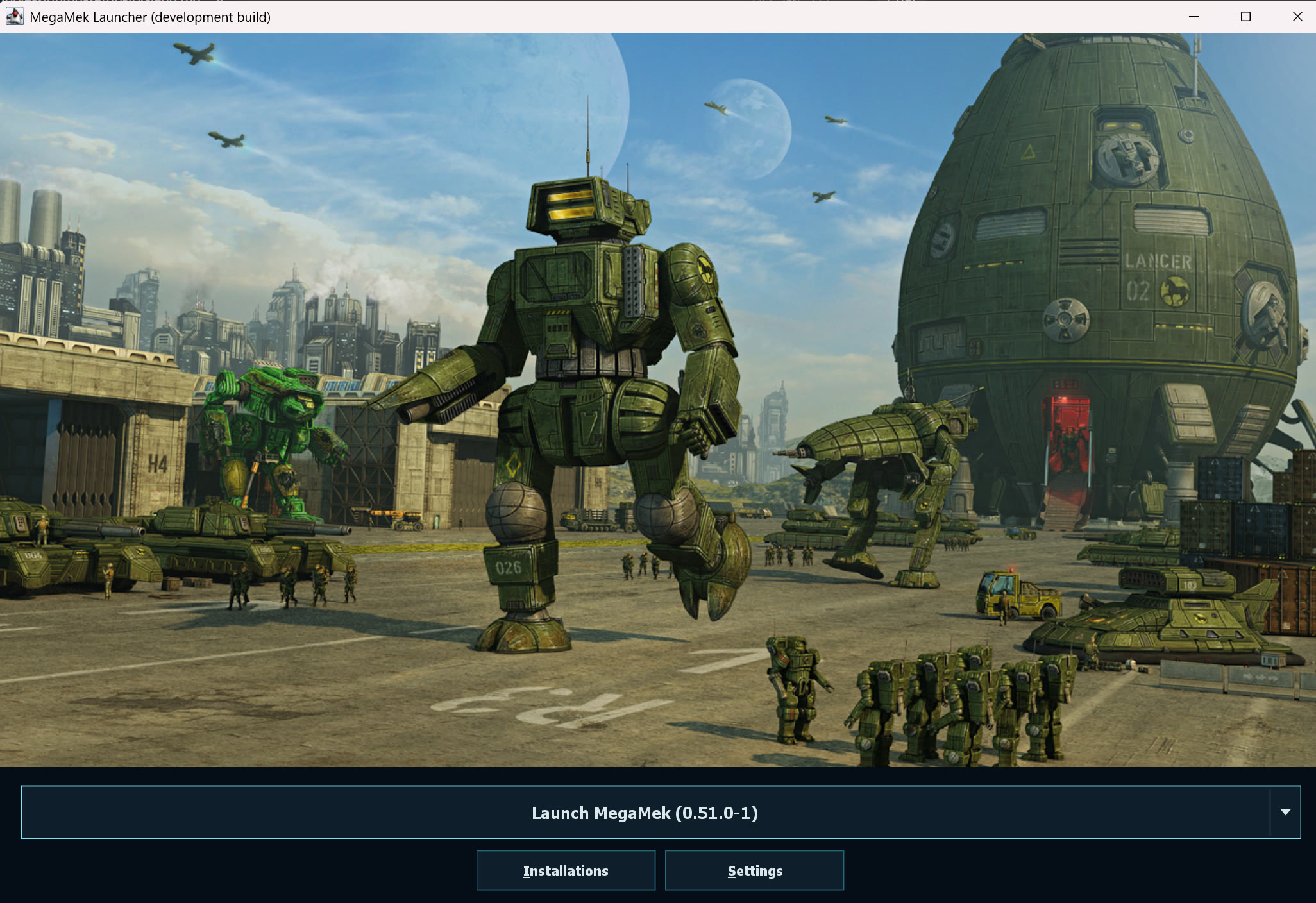
The new MegaMek Launcher. All three programs, one place to start them.
The Launcher
We’ve been working on a launcher to make getting started with MegaMek a little easier. Instead of downloading and setting up each program separately, you’ll be able to install and launch MegaMek, MegaMekLab, and MekHQ from the same place. The launcher includes Java too, so new players won’t have to figure out which version to install before they can play. If you already have the programs set up, you can add those existing copies rather than download everything again.
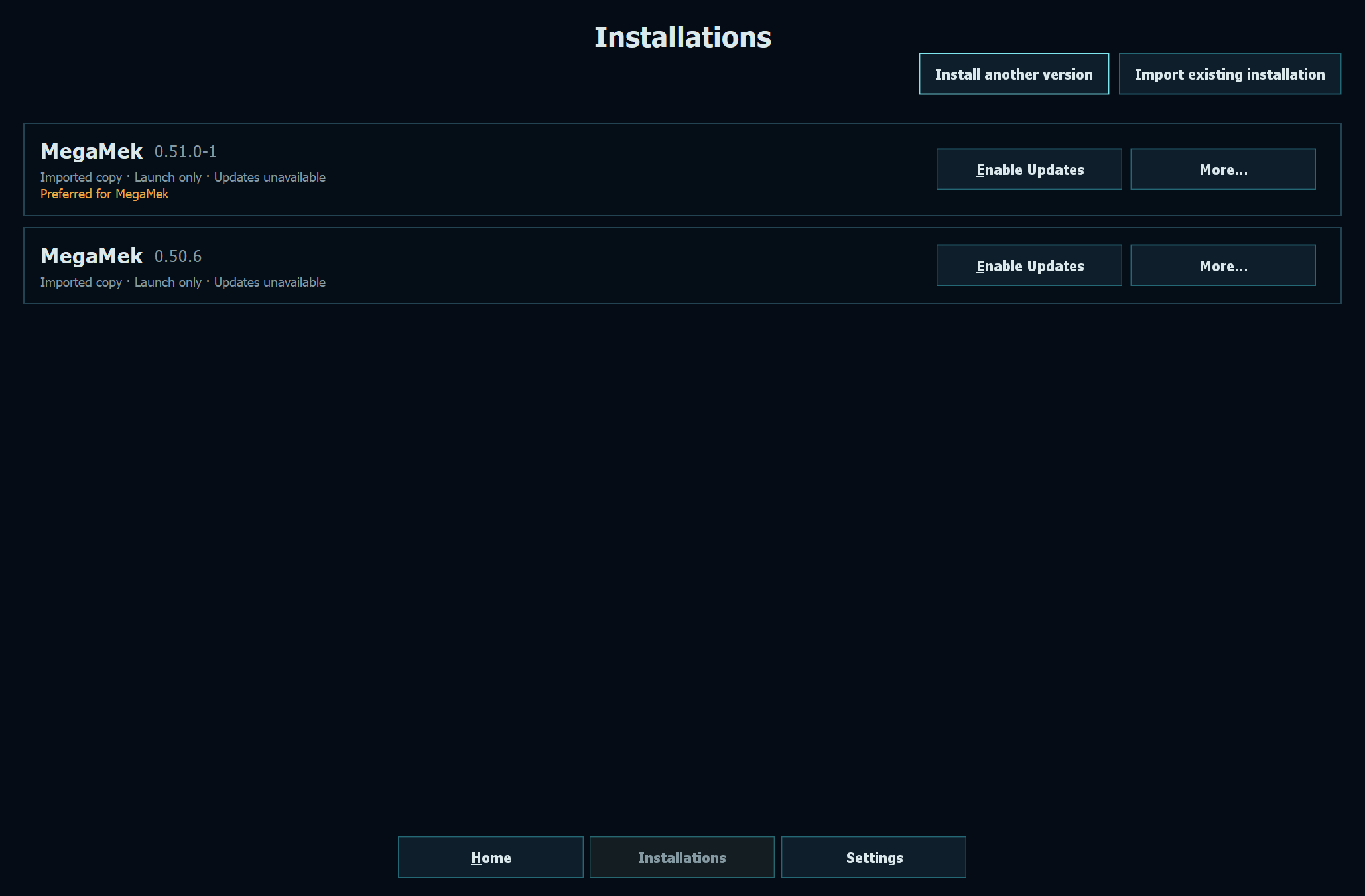
Installations. Two versions side by side, both imported from existing copies.
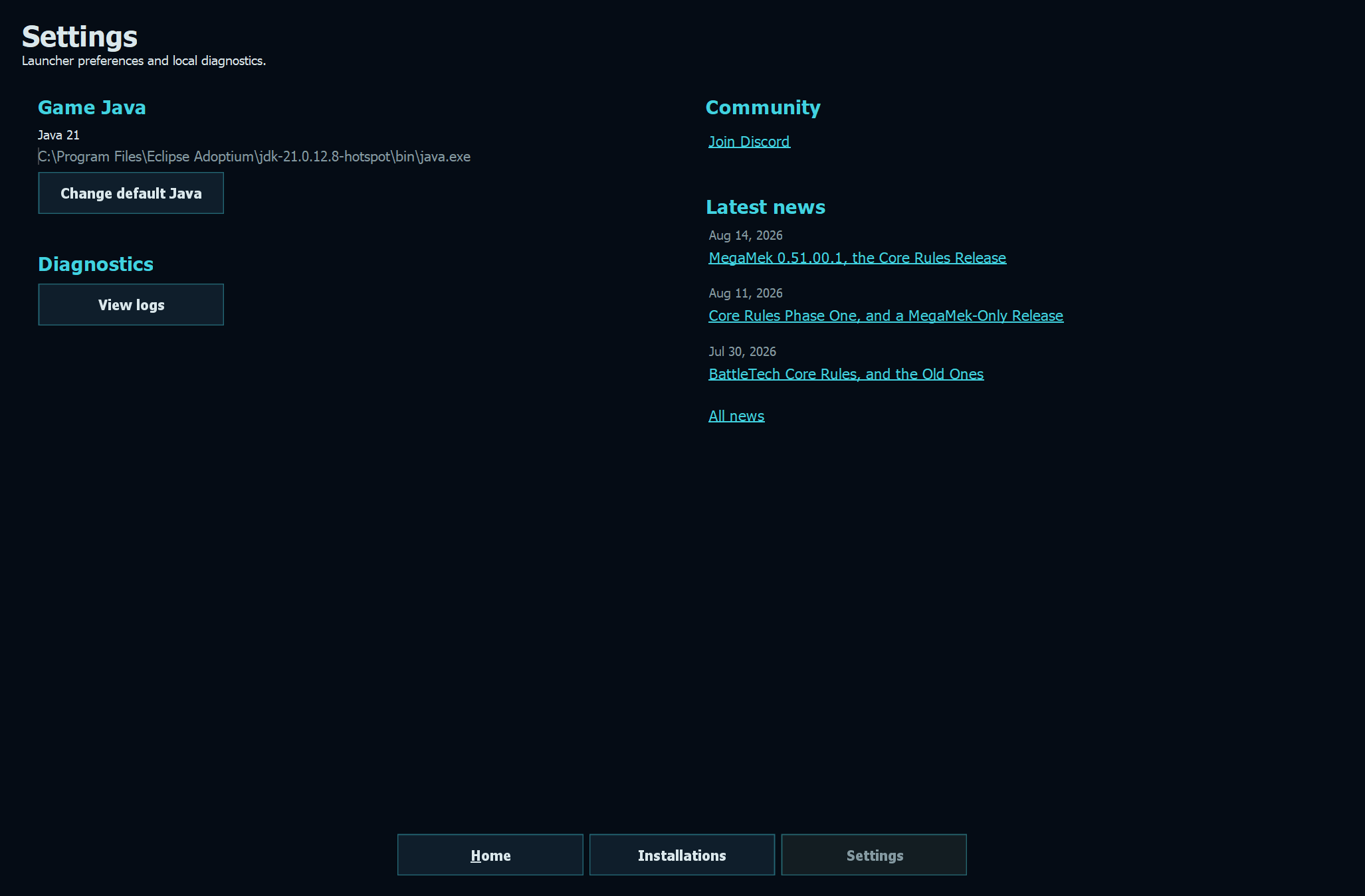
Settings. Your Java, your logs, and the latest news in one place.
It will also let you know when newer releases are available and help you install them without going back to the website each time. That doesn’t mean we’ll make you update in the middle of a campaign. You’ll still decide when to update, so you and your group can stick with the version you’re using until you’re ready to move on. We want to make the setup and upkeep less of a chore, without getting in the way of how you already play.
There’s groundwork in this release for how those updates will work. The goal is that you only download a program when its contents actually change. If a release only touches MegaMekLab, someone who only plays MegaMek shouldn’t have to download MegaMek again. The packaging side of that is in place in MegaMek and MekHQ now, but you won’t see it in action until the launcher and the website are switched over.
Bug Reporting
Anyone who’s filed a bug report with us knows the drill. Find the save file. Find the logs. Zip them up. Go to GitHub, pick the right repository, fill in the form, remember your version number, and attach everything. It’s a lot of steps, and every one of them is a chance for something to go missing. Most of the reports we can’t act on are missing the save or the logs.
Last year Illiani added a bug report button to MekHQ that packages up what we need and makes it easy to attach. Overall it’s been quite successful, so this cycle we’ve brought the same feature to MegaMek and MegaMekLab, and improved the tracker templates while we were at it.
Reporting a bug, start to finish.
The Report a Bug button. In MegaMek, there’s now a red Report a Bug button at the right end of the command strip, styled like an emergency stop so it’s easy to find right after something goes wrong. It’s also in the Commands menu and in the error dialog that pops up when MegaMek hits an unexpected problem. MekHQ has a matching red button in the campaign control panel, next to Glossary and GM Mode.
The one-click bundle. Click it, and MegaMek saves your current game and builds a single zip file containing:
- The saved game
- The relevant logs, including the combat report from your current game
- A small file with your system details
The bundle stays under GitHub’s 25 MB attachment limit. If something has to be left out to fit, MegaMek tells you which files were dropped.
The prefilled form. From the same dialog, you pick MegaMek, MegaMekLab, or MekHQ, and GitHub’s issue form opens with your version, operating system, and Java version already filled in. You describe what happened, attach the zip, and you’re done.
Better forms. We’ve reworked the issue templates across the projects. The severity dropdown is gone, because what reporters picked never matched how we actually triage. The required “I checked Discord” box is gone too, since we couldn’t verify it and it shut out people who don’t use Discord. Attachments are now a real file upload, and there’s a new field for what you expected to happen, which answers one of the most common questions we end up asking.
Longer log history. MegaMek used to overwrite megamek.log every time it started. If the game crashed and you restarted to check something, the log from the session that broke was gone. MegaMek now keeps your previous 10 sessions as compressed files (megamek_1.log.gz, megamek_2.log.gz, and so on), and the bot logs keep a much longer history as well.
Trackers: A Fresh Start
When we moved to GitHub back in 2016, we brought all of our trackers across from SourceForge. In the ten years since, they’ve grown at a fairly steady rate. Right now we’re sitting at around 1,000 open issues on the MegaMek tracker, 80 on MegaMekLab, and 600 on MekHQ.
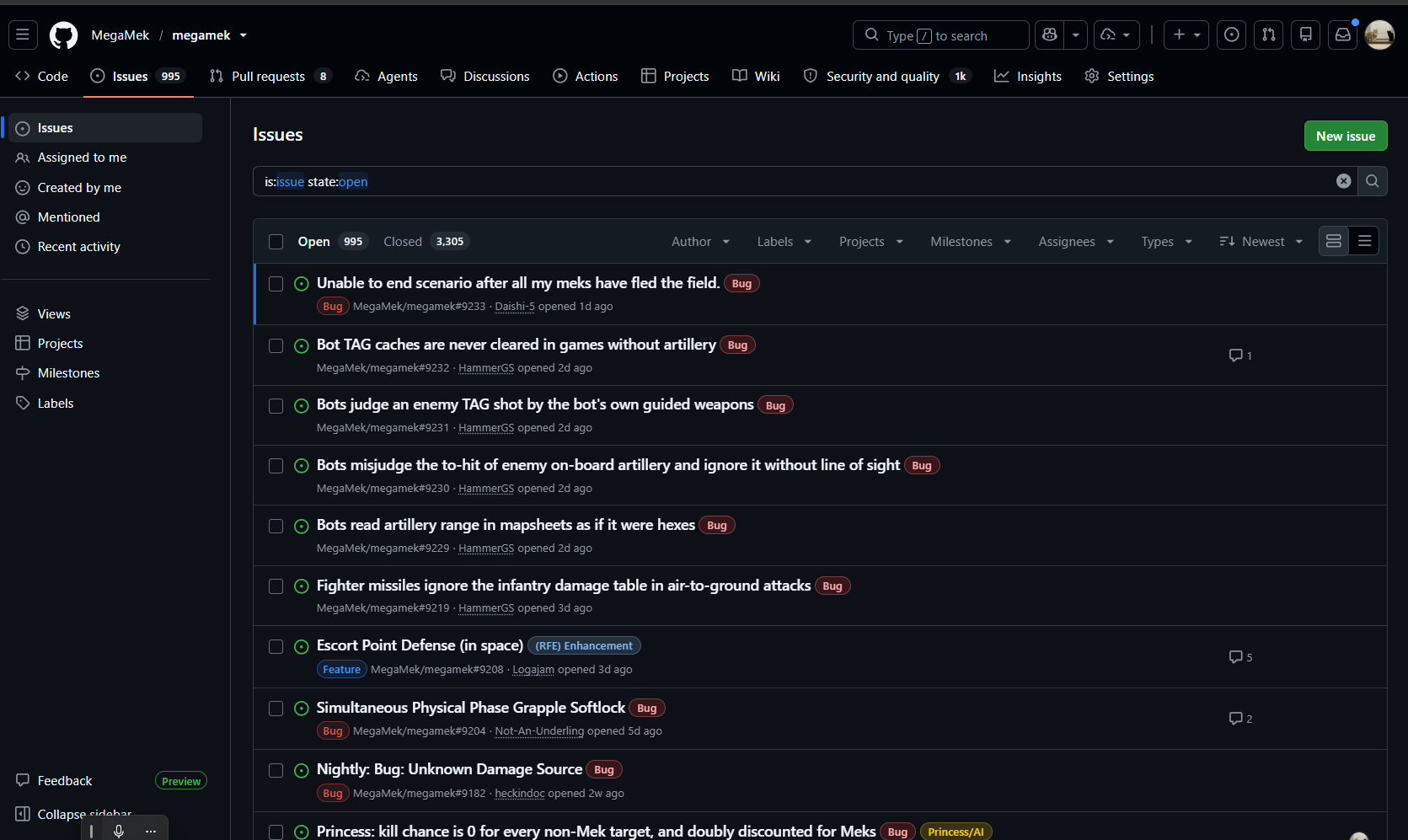
995 open on the MegaMek tracker alone.
Some of those bugs come from saves we can’t even load in the current code, so we have no way of telling whether they’re still bugs at all.
We’ve always relied on players to report bugs, and to be honest with you, the quality of those reports varies. Some players give us great reports, with clear steps to reproduce the problem and the log files attached. Others are little more than “it’s broken and it doesn’t work,” with no details, no steps, and no files.
Up until now, we’ve taken the approach that every bug is a valid bug and something we should know about. We’ve reached the point where that just isn’t manageable. We’re a volunteer team, and we don’t have the time to work through every report, even as they come in. We already lean heavily on GitHub’s automated tools to organize and tag reports, but we need a better approach.
Here’s what’s changing.
Closing the old issues. Shortly after 0.51.01 releases, we’re going to close all bugs and issues that predate 0.51.0, in all the programs. Closed doesn’t mean deleted. Those issues are still there with a closed tag, and they’ll still turn up if you search the closed issues. It just takes them out of the open list so we can start fresh.
RFEs stay open. Requests for enhancement won’t be closed.
Report a Bug is the way in. Going forward, report bugs with the Report a Bug function. As you can see in the video, the buttons are hard to miss. If you report a bug some other way and it doesn’t have the attachments we need, there’s a high likelihood we’ll simply close the issue.
If your issue gets closed. Some of you are going to get a lot of emails about issues being closed. If you think your issue is still relevant, test it again on at least 0.51.0, and ideally on the most current release. If it’s still there, resubmit it using Report a Bug, with all the files attached.
Right now we’ve got old bugs we don’t know are valid, new bugs that are valid but don’t have enough information to troubleshoot, and everything in between. We need trackers we can actually manage, and at the moment we can’t.
We’ll have a separate post walking through the new tools step by step.
What’s in the Series
Here’s a taste of what the upcoming posts will cover.
MegaMek
Objectives and Victory Points. Games no longer have to end when one side is wiped out. Objective markers, a new Victory Setup phase, and victory point scoring bring Raid, Hold, Defend, and Capture missions to the board.
It ships in 0.51.01, but treat it as alpha. It’s still in active development, so expect rough edges and things that change between releases. If something breaks, tell us with Report a Bug.
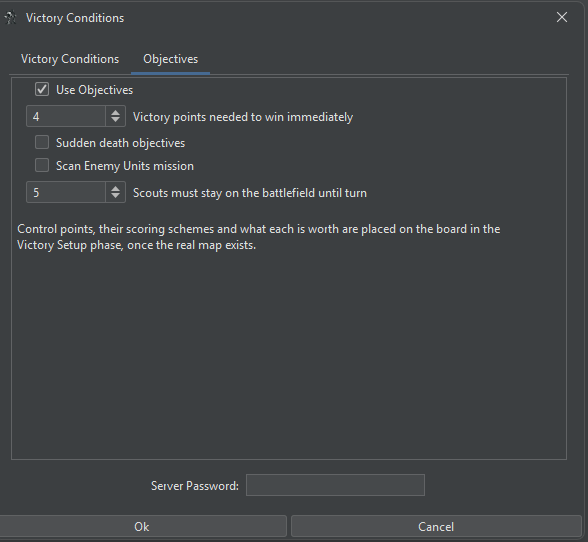
The new Objectives tab in Victory Conditions.
Objectives in action.
Game Master Tools. A gamemaster can now change terrain, edit buildings, and damage units in the middle of a game. They can also bring new players into a game already in progress and order bot units to withdraw or fight to the death.
The Game Master tools are in beta for this release. They’re ready to use, but you may still hit the odd bug. If you do, tell us with Report a Bug.
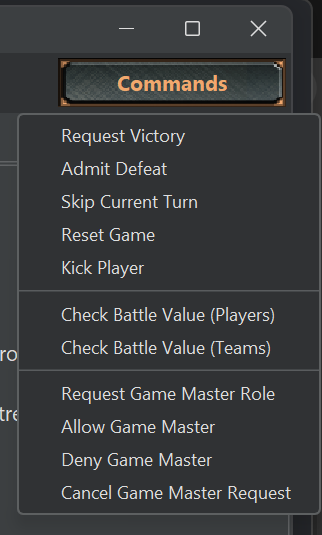
Requesting the Game Master role now lives in the Commands menu.
Changing terrain mid-game.
The damage editor, now with equipment mode controls.
Advanced Buildings and Urban Combat. Infantry vs. infantry fighting inside buildings has been reworked for a full and accurate implementation, along with building turrets, crews, and a long run of rules fixes. Full Advanced Buildings construction is in development for 0.51.02 at the earliest, and there’s a rumbling on the horizon. You never know what might come rattling across.
VTOL and WiGE Flight Rules. Sideslips now follow Total Warfare. A large batch of fixes covers how WiGEs climb, land, crash, and carry passengers.
Core Rules Progress. Walk-on deployment arrives. More Core Rules updates cover autocannon critical hits, shields, indirect fire, and more.
MekHQ
The Contract Overhaul. The old Against the Bot contract system has been replaced by a new Contract Market built on the contract generation from Hot Spots: Draconis Reach. Negotiations, covert and false flag operations, government and piracy contracts, and overhauled salvage and economics all come with it.
Glpbba vf pbzvat - Unaq bs Fgneyvat
Repairs, Refits and Parts. Refits now keep the parts, ammo, and armor they should, and Mass Repair behaves itself. Parts travel with their units to and from bases, and CamOps fabrication arrives.
Personnel, Edge and the Personnel Tab. Edge has been reworked and Chassis Familiarity arrives. The Personnel tab has been rebuilt with new views, a tabbed character sheet, and a Roleplay Engine with a Smart Journal.
The new tabbed character sheet in the rebuilt Personnel tab.
The Interstellar Map. The map has been rebuilt from the ground up. Zoom in and it fills in detail, from realm borders down to capitals and administrative regions. The route planner lets you add waypoints, compare alternative routes, check the risk on each leg, and see when your next jump is ready. It’s sharp on high-resolution screens now, custom factions show their own logos, and your JumpShip lights up its route as you travel.
The rebuilt interstellar map.
Planetary Bases. Planetary bases change how your command moves around the Inner Sphere.
The Command Generator. The old Company Generator is gone. Its replacement builds your starting force from the same rules MegaMek uses to build forces for each faction, so a Clan command comes out in Stars and an Inner Sphere one in lances. You get named formations and a table of organization you can edit before you commit, with support staff and transport sized to the force and your senior officers picked from the people it generates. Support vehicles are rolled for the era and faction instead of handing everyone the same four models, and a new campaign greets you with a big yellow Generate Starting Command button you can’t miss.
Building a starting command with the Command Generator.
MegaMek and MekHQ
Hostile Worlds and Personal Gear. Tainted and toxic atmospheres from Tactical Operations: Advanced Rules are in, and a planet’s air now follows your MekHQ contract into battle. Crews can wear armor kits that keep them alive after ejecting into it, and carry their own sidearms. Just a note: Princess only respects pilots who don’t shoot at her.
And that’s before we get to C3 network management, a new Campaign Options dialog, and a few hundred fixes. Those will be covered in future posts, so look for a few more blog posts between now and release.
Thanks
A release this size doesn’t happen without a lot of people putting in their evenings and weekends. Thanks to everyone who coded, tested, and reported bugs this cycle, and a warm welcome to our first-time contributors.
If you’ve got questions in the meantime, come find us on Discord.
Run those ammo bins dry and your PPCs hot!